


The Winter ’27 release is now live on every Salesforce instance. On the menu: a much more comfortable Flow Builder, higher Apex limits, and multi-agent orchestration reaching general availability. Here is what matters, role by role.
The essentials in 30 seconds
- Rollout: completed on all instances since 9 October 2026
- API version: 68.0
- Next up: Spring ’27, to prepare as soon as preview sandboxes open
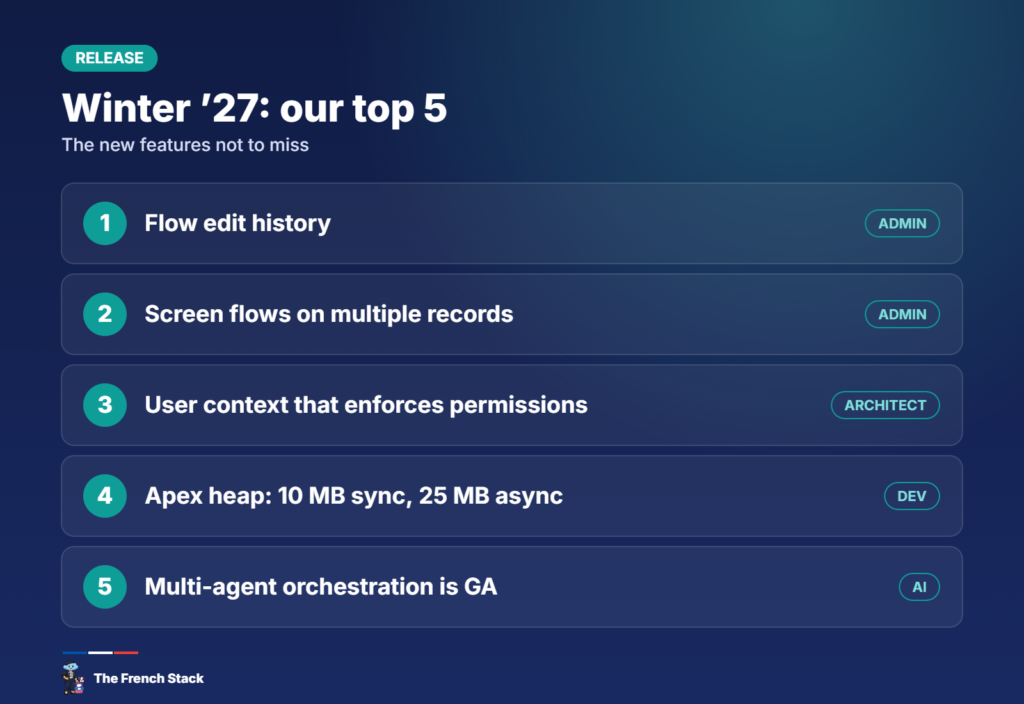
Our top 5:
- Edit history in Flow Builder
- Screen flows launched from a list view, on multiple records
- A user context that truly enforces permissions
- Higher Apex heap limits (10 MB and 25 MB)
- Multi-agent orchestration, now generally available
For admins
Flow Builder finally remembers
The Edit History panel (clock icon) shows a timeline of every save of a flow, element by element. You can preview a past version, restore it as a new version, or copy its logic into another flow. It covers autolaunched flows with no trigger, record-triggered, scheduled and platform event-triggered flows.
For readability, you can now group elements into named, collapsible sections (rolling out gradually), filter unused resources, and Flow Builder labels elements automatically based on their configuration.
Fewer surprises in production
- A save-time warning when a required field is not mapped in a Create Records element, or when a value exceeds a field’s length.
- Flows retry automatically after 10 seconds when they hit a record lock error (UNABLE_TO_LOCK_ROW) at transaction start.
- Test Mode (beta): create, save and rerun test scenarios with assertions without leaving Flow Builder. Enable it in Process Automation Settings.
Screen flows on multiple records
A long-awaited one: a mass quick action on a list view or related list can launch a screen flow, which receives every selected ID in a collection variable named ids. Screen flows also get a native Time component.
Sharing and tracking
- A new option to keep manual shares when a record changes owner (Sharing Settings).
- Field history tracking on the User object is GA, for up to 20 fields.
- Record previews in Lightning reports, in a side panel (beta).
For developers
More room for Apex
The heap limit goes from 6 to 10 MB for synchronous transactions and from 12 to 25 MB for asynchronous ones, with nothing to enable. The “Enforce the Summer ’26 Apex heap limit” setting let you keep the old limit until production was upgraded.
FORMULA()in SOQL (beta, not in production) to compare two fields in a WHERE clause without creating a formula field.- Apex integration tests (developer preview, scratch orgs only) call the real service instead of a mock.
- Web Console (GA): an in-browser IDE based on VS Code for the Web, available from Setup.
More expressive LWC
Template expressions are GA (API 66.0 and later): concatenation, ternaries or small calculations right in the HTML, with no getter. And lwc:external (GA) lets you use a third-party web component library as is.
For architects and consultants
A user context that keeps its promises
Until now, a flow set to run in user context inherited system permissions from the Apex or flow that called it. With API 68.0, the new User Context, Enforces User Permissions option guarantees the flow always respects the user’s access and sharing. Worth adding to your security reviews.
Salesforce without the Salesforce UI
The release leans into a “headless” architecture: every capability is exposed as an API, an MCP tool or a CLI command. The Headless Experience Layer (beta) lets you define a UI once and render it in Agentforce, Claude or Slackbot, and Multi-Framework now supports Angular alongside React.
AI and Agentforce
- Multi-Agent Orchestration is GA: an orchestrator agent delegates to specialist agents in your org.
- Agents now accept file uploads in the conversation.
- Flow Builder shows agent action details without opening Agentforce Builder.
- The Salesforce Development plugin for Claude Code and ApexGuru (via the Salesforce DX MCP server) join the developer toolbox.
After the upgrade: the checklist
- Find user-context flows called from Apex or system-context flows, and switch to the new mode where needed
- Decide whether to keep manual shares on record transfers
- Turn on Test Mode in a sandbox and build scenarios for your critical flows
- Clean up with the “Unused” filter before your next deployment
- Watch for the Spring ’27 preview sandboxes
Our take
Winter ’27 is not a spectacular release, but it is a release of comfort and reliability. Flow history, save-time warnings and the new user context will prevent a lot of incidents. The real underlying trend is “headless”: Salesforce is getting ready to be used by agents as much as by humans. One to watch closely in the coming releases.
Sources: Jen’s Top Winter ’27 Release Features For Admins (Salesforce Admins) and The Salesforce Developer’s Guide to the Winter ’27 Release (Salesforce Developers).